Google Gemini Agent: 7 Powerful Ways It Could Transform Work
Businesses are looking for better ways to manage information, reduce repetitive tasks, and help employees get more done. Google is now taking another step in that direction with its new Gemini agent, announced at the Gemini at Work 2026 event on October 8.
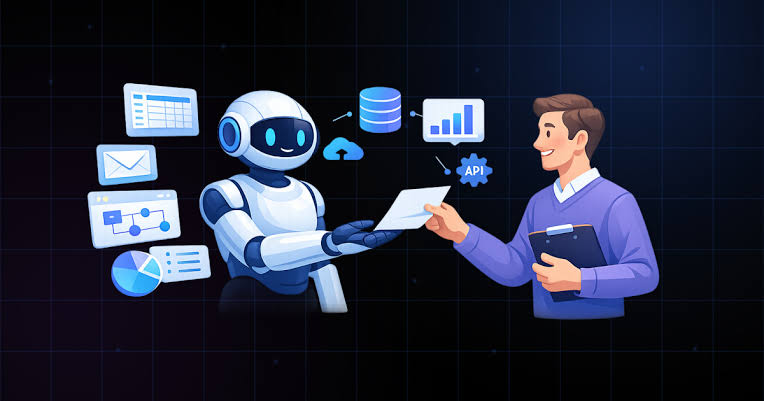
Unlike a typical AI chatbot that mainly responds to questions, Google’s new workplace agent is designed to work towards a goal. It can use connected tools, plan different steps, and help produce finished work within the applications employees already use.
The announcement puts Google among the companies developing AI systems that can do more than generate text. Here is what the new Gemini agent offers, how businesses could use it, and what users should know before expecting it to handle their daily workload.
What Is Google’s New Gemini Agent?
Google Gemini Agent is a workplace AI tool developed by Google Cloud. It is designed to help organizations handle different types of work through a single AI experience.
A user can describe the result they need instead of explaining every small step. The agent can then plan how to approach the task, use available tools, and work with connected business systems to help complete it.
For example, an employee preparing for a team meeting may need information from emails, documents, and project records. An AI agent could help bring relevant details together and prepare a summary for review, provided it has the required access.
7 Important Features of Google Gemini Agent
1. One AI Tool for Different Tasks
Employees often switch between applications when researching a topic, preparing a report, answering questions, or working on a technical problem.
Google’s Gemini agent aims to bring several of these activities into one experience. Rather than opening a separate AI tool for every task, users can describe their objective in a prompt and let the agent help with the work.
This approach could be useful for teams that handle a mixture of administrative, creative, and technical responsibilities.
2. Connections With Google Workspace
Many businesses already use Gmail, Google Drive, Docs, Sheets, Slides, Chat, and Calendar. Google’s announcement describes Gemini working directly within these services.
This could help employees work with information in the applications they already know. For instance, someone preparing a presentation could need to review a document, identify its main points, and organize the information into slides.
The agent is designed to support connected workflows, although the actions available will depend on the relevant features, account permissions, and setup.
3. Support for Other Business Applications
Companies do not always use software from a single provider. A team might rely on Google Workspace for documents but use another platform for communication or project management.
Google has described connections with external business systems, including tools such as Microsoft 365 and Slack. These integrations could help businesses bring more of their work into connected AI-assisted processes.
However, companies should check the supported integrations and available actions before assuming that every application can perform every task.
4. Help With Multi-Step Projects
Some workplace assignments involve several connected activities rather than a single question.
Consider a manager who needs a weekly project update. The work might include collecting information, identifying important changes, organizing findings, and preparing a report.
An AI agent is designed to help coordinate these steps towards a requested outcome. This could reduce some repetitive work and give employees more time to review results and make decisions.
It is still important to check the finished work. An agent can misunderstand a request, miss information, or produce an incorrect result.
5. Assistance With Writing and Coding
Writing reports, preparing presentations, and working on software can all involve tasks where AI assistance may be useful.
Google says its Gemini agent can support knowledge work, content creation, and coding. Depending on the task and available tools, employees could use it to prepare an initial document, organize information, or assist with programming work.
Developers should test generated code before using it in production. Similarly, businesses should review written material before sharing it with customers or publishing it.
The tool is intended to assist employees, not remove the need for professional judgment.
6. Different AI Models and Cost Controls
Google’s announcement also highlights model selection and built-in cost controls. The idea is to match work with a suitable AI model while giving organizations more ways to manage spending.
This matters because different tasks can have different requirements. A simple request may not need the same level of processing as a complicated analysis or coding assignment.
The real benefit will depend on how model selection works in practice, which models are available to a customer, and the costs associated with its usage.
7. Enterprise Security and Administration
Workplace AI may interact with company documents, internal communications, and other sensitive information. Businesses therefore need clear rules about what an agent can access and which actions it is permitted to perform.
Google has highlighted security, administration, governance, and permission controls as part of its approach.
Organizations should still review access settings carefully, establish policies for confidential information, and decide when human approval is required. Security depends on both the technology and the way a company deploys it.
How Could Businesses Use Gemini Agent?
The potential applications extend across several departments. Depending on the available integrations and permissions, businesses could explore AI assistance for:
- Meeting preparation: Collect relevant information and organize key points.
- Email drafting: Prepare message drafts using appropriate business context.
- Report creation: Turn available information into a structured first draft.
- Data analysis: Help examine business data and identify patterns worth reviewing.
- Software development: Assist with coding tasks and technical workflows.
- Project coordination: Organize updates and information for team members.
These are potential applications rather than a guarantee that every task can be completed automatically. Companies should test the tool against their actual workflows before relying on it for important work.
Is Google Gemini Agent Available to Everyone?
Not necessarily. Google’s announcement focuses on workplace and enterprise use, rather than presenting the new agent as a standard feature for every personal Gemini account.
Reporting around the announcement described the service as being in private preview. Access may therefore be limited while the product is introduced and tested with selected customers.
Businesses interested in adopting it should check the latest information from Google Cloud for access requirements, supported features, integrations, and pricing.
It is also important to distinguish Google’s workplace agent from the regular Gemini assistant. Having a personal Gemini account does not automatically provide access to every Google Cloud enterprise feature.
What Does This Mean for the Future of Workplace AI?
Google’s announcement reflects a broader change in the way businesses are exploring artificial intelligence. The focus is moving beyond tools that simply answer questions towards systems designed to help complete connected tasks.
That could make AI more useful in workplaces where employees regularly gather information, move between applications, and prepare similar reports or documents.
There are still practical questions to consider. Businesses must evaluate reliability, privacy, operating costs, access permissions, and the amount of human review each task requires.
The most useful AI system will not necessarily be the one with the longest feature list. Its value will depend on whether it solves real problems accurately, fits existing workflows, and gives organizations enough control over how it operates.
Final Thoughts
Google Gemini Agent is an important development in Google’s workplace AI plans. Its combination of task planning, application connections, content creation, coding assistance, and enterprise controls could make it useful for organizations looking to simplify everyday work.
However, its practical value will become clearer as access expands and businesses gain experience using it. For now, companies should examine the available features carefully, test relevant tasks, and keep people involved in reviewing important results.
For businesses following the latest AI developments, Gemini Agent is worth watching—not because it guarantees fully automated work, but because it shows how workplace AI is evolving from answering questions towards helping achieve complete outcomes.