
What is Google Chrome on‑device scam detection?
Google Chrome on‑device scam detection is a new security feature that scans websites and downloads in real time using a local model inside your browser. It is designed to catch fake pages, harmful downloads, and scam pop‑ups before they can trick or infect the user.
This feature uses a small local model that runs directly on your computer instead of fully depending on remote servers. The goal is to recognise dangerous patterns faster and give instant warnings when you open suspicious pages in Chrome.

How this new protection works in Chrome
With Google Chrome on‑device scam detection, the browser analyses the content and behaviour of websites you visit. It looks for signals such as urgent scare messages, fake support alerts, or download prompts that do not match normal website patterns.

If the local model detects something risky, Chrome can block the page or show a clear warning before you continue. In some cases, the browser may send limited details to Safe Browsing servers for deeper checks, but the first review starts on your device for faster response.
Why on‑device scam detection matters for privacy
A major advantage of Google Chrome on‑device scam detection is that much of the analysis happens locally, which reduces the need to send full browsing data to remote servers. This design helps balance strong protection with better privacy for users who worry about how their data is used.
Security experts note that local models can still give real‑time protection against new scam techniques because they are trained to understand patterns, not just fixed blacklists. This means Chrome can react to threats that have never been reported before, while still keeping more of your data on your own device.
How to manage or turn off on‑device models in Chrome
In the latest pre‑release versions of Chrome, users can manage Google Chrome on‑device scam detection through a system setting. There is an option in Chrome’s settings menu that lets you turn off the local model by disabling the “on‑device” feature.
Security researchers have shown that switching off this setting removes the local model and also disables the enhanced scam protection linked to it. This gives users direct control, but it also means you lose an extra layer of real‑time defence when the model is removed.
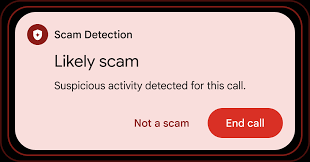
Key benefits and limits for everyday users
For normal users, Google Chrome on‑device scam detection offers several clear benefits.
- It adds real‑time warnings against fake support pages, scam pop‑ups, and harmful downloads that may not yet be on standard block lists.
- It helps reduce common frauds such as fake airline tickets, visa scams, or other high‑risk pages that target regular users.
At the same time, this protection is not perfect and cannot replace basic safe browsing habits. Users should still double‑check website addresses, avoid clicking unknown links, and be careful with files from untrusted sources, even when this feature is enabled.
What this means for the future of secure browsing
Google Chrome on‑device scam detection shows how browsers are moving towards smarter, more local security tools that can react quickly to new threats. Running these models inside the browser promises lower delay, better privacy, and more flexible protection for users across the world.
Experts expect that the same local technology may later support more features inside Chrome beyond pure scam blocking, raising new questions about transparency and user control. For now, the focus is on stopping fake pages and harmful downloads, but future updates may expand its role in how users experience the web.

Google Chrome On‑Device Scam Detection
Google Chrome on‑device scam detection is a new security feature that checks websites and downloads in real time to catch fake pages, harmful files, and scam pop‑ups before they can trick you. It works directly on your device using a local model, so much less browsing data needs to be sent to remote servers, which helps improve privacy. When Chrome sees suspicious patterns such as fake virus alerts, full‑screen lock pages, or urgent warnings asking you to call a number, it can show a clear warning or block the page to protect users from fraud and money loss.